Tuesday, September 25, 2012

Story line - The Dream


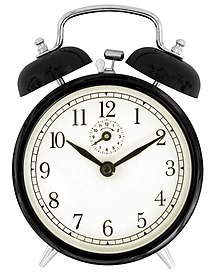
1. alarm clock goes off
2. man yawns as he wakes up
3. gets up and walks to bathroom
4. washes face
5. walks to kitchen and pours cereal
6. eats cereal
7. dog barks
8. drops bowl for dog
9. feeds dog by pouring dog food into bowl
10.doorbell rings and someone knocks on door
11.walks to door and opens door
12.looks at papers
13.signs papers
14.closes door and takes package
15.opens package, inside of package is a video game cartridge (NES)
16.runs to T.V. and turns it on
17.tries playing the video game, but does not work
18.blows on game cartridge in order to make it work
19.game starts playing
20.starts laughing while playing
21.phone rings
22.turns off game
23.answers phone
24.listens to mumbling
25.hangs up and slams phone
26.finds car keys
27.runs out the door and slams door
28.opens car door and then closes it after getting in
29.turns on car and leaves
30.begins to accelerate
31.police siren starts to sound
32.slows down and stops car
33.officer taps on car window
34.driver opens window while heartbeat becomes louder
35.hears alarm clock, again?
36.sighs in relief that it was all a dream.

Tuesday, September 18, 2012

Foley


Foley is the reproduction of everyday sound effects which are added in post production to enhance the quality of audio for films, television, video, video games and radio. These reproduced sounds can be anything from the swishing of clothing and footsteps to squeaky doors and breaking glass. The best Foley art is so well integrated into a film that it goes unnoticed by the audience. It helps to create a sense of reality within a scene. Without these crucial background noises, movies feel unnaturally quiet and uncomfortable.

Foley audio is the live recording of sound effects --effects that you create, capture and add to video programs in post production. Foley audio is such a useful technique that you may want to make it a part of your regular editing tool kit. 
Consider:
Foley effects add realism and depth to audio tracks.
They're easy to produce and record with hobbyist/prosumer equipment.
They simplify the synchronizing of sounds that would otherwise be tedious or downright impossible to manage.

http://www.marblehead.net/foley/whatisitman.html
http://en.wikipedia.org/wiki/Foley_(filmmaking)

Monday, September 10, 2012

Sound editing & manipulation - Audacity


To sum up, Audacity is as simple or as complex as you want it to be, but either way it is excellent freeware and one that i wouldn't be without.
As far as single track editing goes, there is very little that cannot be achieved with Audacity, and achieved easily and cleanly. Really though, track editing is just the tip of the iceberg with this application: it's functionality for editing is balanced with it's equally powerful functionality for recording, and also applying effects and modifications to existing audio tracks.

With Audacity you can record tracks in either mono or stereo using as sample rate of up to 96000 Hz, and up to 32bit floating point sample format, depending on your hardware. The process of recording a track (either from an internal or external source) could not be more simple once you have configured your devices, and one of the (many) neat things i really like about this application is right there in front of you: it's a little slide control that allows you to adjust the input volume of whatever it is you are recording without having to go back into the config panel.

When you have your audio track, whether you are recording a new track or simply importing an existing track, there are virtually no limits to what you can then do by way of editing and manipulating that track, from a simple EQ tweak or fade in or out, right through to applying the most exotic VST based effect you can find, and it's so easy, and if you're not happy with the result simply CTRL+Z (undo) and your track is restored to how it was: Audacity has unlimited undo capability. You also have the facility to cut,copy and paste, which is useful and can save time.

http://audacity.sourceforge.net/
http://en.wikipedia.org/wiki/Audacity_(audio_editor)

Monday, September 3, 2012

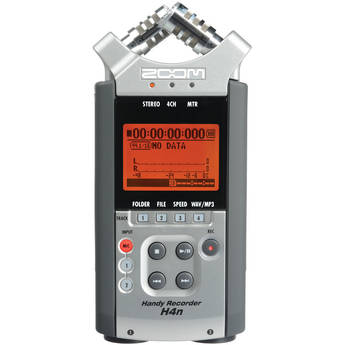
Sound recording using Zoom H4N


Zoom’s H4 digital stereo recorder remains hugely popular and, despite a few reservations, is one of my favourites. With ‘combi’ jack/XLR inputs, 48V phantom power, a coincident stereo pair of mics onboard, and masses of extra functionality (from four-track mixing to guitar effects and a USB audio interface) it’s much more versatile than most recorders, and the sound is good for the price. The H4’s preamps could be better, navigating the menu can be fiddly, the casing might be a bit more robust, and so on, but on balance it’s an excellent portable recorder.

I’m a big fan of the H4N, and found very little to dislike about it. While there are more ‘professional’ portable recorders out there, you’d be hard pushed to find something that’s better on sound quality alone. This product is also aimed at a very different market, where it compares very favourably with the competition. The H4N is justifiably a little pricier than its H-series predecessors, given the improvements that have been made, but although there’s a lot of ‘bonus’ functionality I can’t imagine using, you’re not paying a premium for it. If you want a good handheld recorder, this should definitely be on your shortlist; and if you want simultaneous four-track recording thrown in, it will be a very short list indeed!

http://en.wikipedia.org/wiki/Sound_recording_and_reproduction
http://www.wingfieldaudio.com/zoom-h4n-review.html

Idea - Sound Story


By using sound effects you could tell a story. I will create a narrative  Use instrumentation to score and enhance the narrative. Develop musical sequences with instruments which tell aspects of the story.